Social media content planning services turn business priorities and audience questions into an organized publishing schedule. As part of a broader digital marketing plan, that schedule should explain what to publish, why it matters and who will get it ready.
For businesses without a consistent system, the problem is not always a shortage of ideas. It may be unclear responsibilities, missing assets or approvals that arrive after the intended publishing date.
A sustainable calendar accounts for those constraints. It connects useful content with a production process the team can repeat without starting over every week.
| Quick Answer Social media content planning services organize business goals, audience questions, campaign dates and repeatable content formats into a monthly calendar. A workable plan includes publishing dates, production deadlines, owners, approvals and measurement. Start with a manageable schedule, create related assets together and leave room for timely updates. |
Build Your Monthly Content Calendar
Separate Planning From Scheduling
Content planning determines what the business should communicate and why. Scheduling assigns approved content to a publishing date, time and channel.
A calendar connects both activities, but it cannot replace the decisions that come first. A useful planning sequence begins with goals, audience, themes, platforms and publishing frequency.
When comparing services, clarify which parts of that sequence are included.
| Service | Main purpose | Deliverables to confirm |
| Content planning | Decide what to communicate | Themes, audience questions, briefs and campaign priorities |
| Social media calendar services | Organize the planned work | Publishing dates, formats, owners and deadlines |
| Content scheduling services | Prepare approved posts for release | Uploaded assets, captions, links and publishing settings |
| Monthly social media management | Coordinate ongoing activity | Agreed planning, production, publishing, response handling and reporting |
These are practical distinctions for reviewing a proposal, not standardized package definitions. Providers may combine them differently.
Start With Business Priorities
Before choosing post topics, identify what matters to the business during the coming month.
That might be a product launch, a recurring customer problem, an upcoming event or a service that prospects misunderstand. Select a small number of priorities instead of giving every department equal space by default.
For each priority, document the audience, message and desired next step. Also record what the business can realistically support.
A campaign promoting consultations, for example, needs available appointment capacity. An event announcement needs confirmed details and a working registration page.
A useful monthly brief answers four questions:
- What needs attention this month?
- Who needs the information?
- What should they understand or do?
- What evidence or assets are available?
Turn Audience Questions Into Topics
Collect questions from sales conversations, customer support, comments and previous inquiries.
Record the wording people actually use. A specific question such as “What happens during onboarding?” gives the writer a clearer starting point than a broad theme such as “customer experience.”
Then connect each question to a business priority. This keeps the calendar useful without making every post a sales announcement.
| Audience question | Possible topic | Suitable format | Possible next step |
| What does the service include? | A clear scope explanation | Carousel or illustrated post | Read the service details |
| How does the process work? | A step-by-step walkthrough | Short video | Explore the process |
| What should we prepare? | A readiness checklist | Checklist graphic | Save or review the checklist |
| How do we compare options? | Questions to ask providers | Text post or document | Read a detailed guide |
| What happens after purchase? | Onboarding expectations | FAQ post | Review onboarding information |
Use these as planning examples, not mandatory categories. Prioritize questions that are relevant to your own customers.
Choose Repeatable Content Formats
Repeatable formats give the team a familiar structure without requiring identical content.
Examples include a customer question of the week, a short demonstration, a misconception explained or a practical checklist. Each format should have a purpose and an achievable production process.
A useful format definition includes:
- The audience question it addresses.
- The information needed to create it.
- The person responsible for providing expertise.
- The expected visual or written structure.
- The appropriate next step.
For recurring videos, plan recording and video editing together. Confirm who supplies footage, checks technical accuracy and approves the final version.
Reusing a format is different from repeating the same message. Change the question, example or explanation while keeping the production structure familiar.
Match Frequency to Production Capacity
Choose a publishing schedule the team can sustain before adding more posts or channels.
Estimate the work behind each format, including research, writing, design, review and revisions. A simple text post and a filmed demonstration should not be treated as equivalent production tasks.
Account for responsibilities beyond publishing. Comments, messages and reporting also require time.
For example, a small team might test three posts per week on one primary channel. That is an illustrative starting point, not a universal recommendation.
Track whether the team can produce useful content reliably. Increase volume only when the process and evidence justify it.
Add Campaign Dates and Dependencies
Place fixed dates on the calendar before filling flexible publishing slots.
Campaign planning should identify preparation work as well as public announcements. An event campaign may need registration details, speaker approval, reminder content and follow-up material.
Work backward from the launch date to establish production and approval deadlines. This makes missing dependencies visible before they become urgent.
If the campaign includes paid social advertising, distinguish paid assets from organic posts. Record their separate budgets, versions and review requirements.
Check the destination too. Any required landing-page development should be completed and tested before content directs visitors there.
Include the Fields That Matter
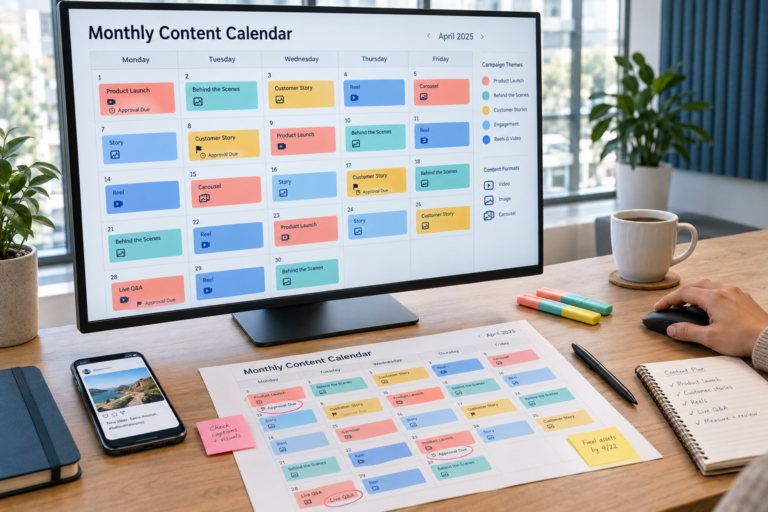
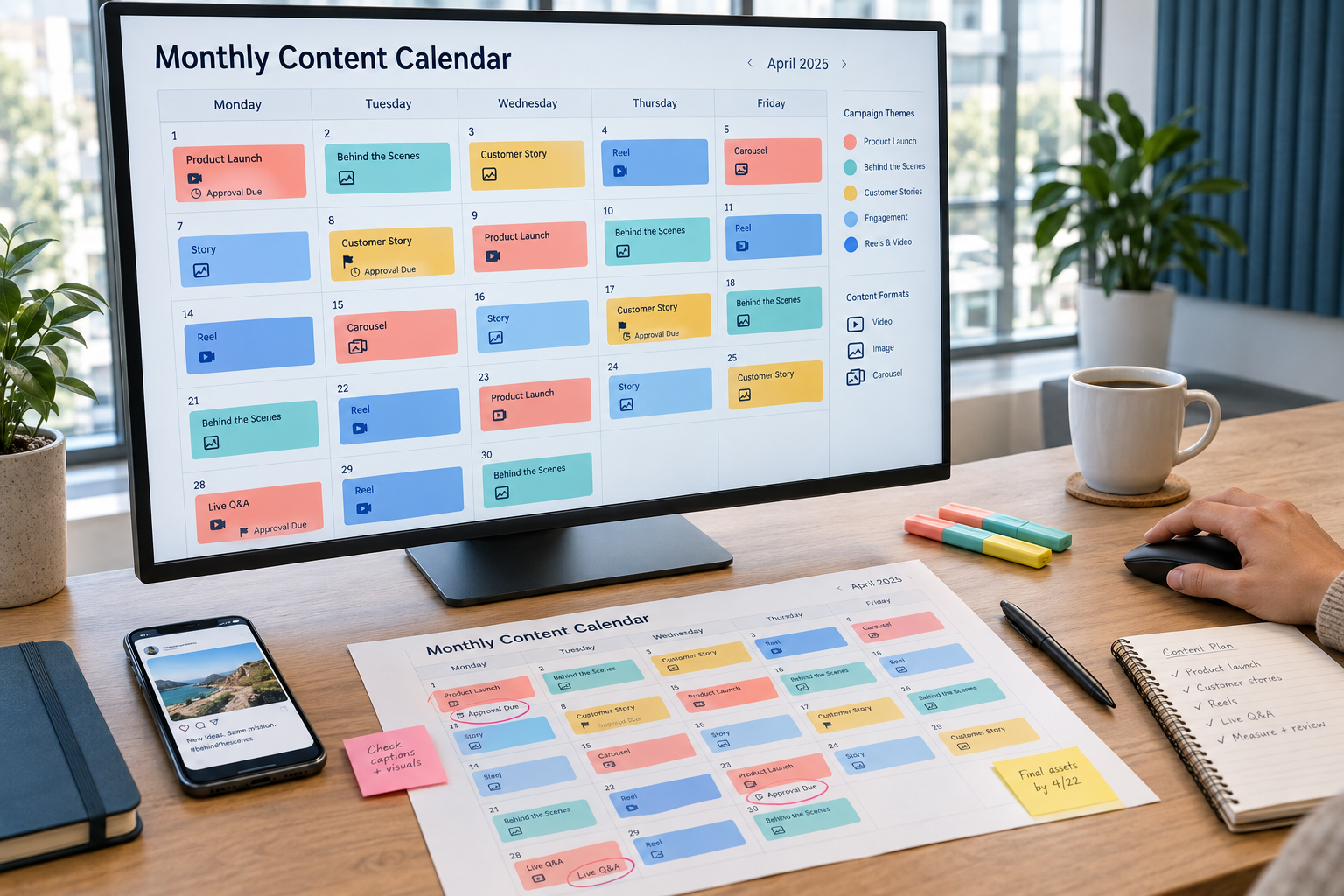
A monthly calendar should contain enough information for someone else to understand the work.
A date and caption may be enough for a finished post, but they do not show whether the supporting asset exists or who must approve it.
Use a compact set of fields and link to detailed briefs where necessary.
| Calendar field | What to record |
| Publishing date and time zone | When the post is intended to appear |
| Channel | Where it will be published |
| Business objective | Why the content belongs in the plan |
| Audience question or theme | What the content addresses |
| Format | Text, image, carousel, video or another format |
| Brief and asset links | Where the copy, visuals and source material live |
| Call to action | The intended next step, if applicable |
| Production owner | Who prepares the content |
| Reviewer and approval deadline | Who signs off and by when |
| Status | Briefed, drafting, in review, approved, scheduled or published |
| Destination and tracking | The final link and relevant campaign tags |
| Results and learning | What happened and what to change |
Documented roles, approval stages and publishing responsibilities are central components of a repeatable social workflow.
Example: A Four-Week Calendar
Consider a hypothetical service business whose priority is helping prospects understand its onboarding process.
The following example uses three weekly posts on one primary channel. It combines customer education, process explanations and an appropriate inquiry opportunity.
| Week | Post one | Post two | Post three |
| Week 1 | FAQ: What happens after an inquiry? | Checklist: Information to prepare | Short introduction to the onboarding process |
| Week 2 | Explain a common onboarding misconception | Walk through a typical project timeline | Answer a question collected by the sales team |
| Week 3 | Show how responsibilities are assigned | Share a practical preparation tip | Explain what is included and excluded |
| Week 4 | Answer a remaining customer question | Explain how progress is reviewed | Invite suitable prospects to discuss their requirements |
These are content briefs, not finished posts. Each still needs an owner, accurate source material, an approval date and a publishing slot.
Keep a small reserve of approved, non-time-sensitive content. If an interview or asset is delayed, the team can use a relevant replacement without publishing unfinished work.
For months with extra publishing days, decide whether to add content or preserve flexibility. The calendar does not need a post in every available slot.
Run a Sustainable Monthly Workflow
Establish a Planning Cycle
Use a repeatable sequence so the team knows when ideas, drafts and approvals are expected.
The example below is a starting workflow rather than a fixed industry timetable.
- Review the previous month’s results and production problems.
- Confirm upcoming business priorities and campaign dates.
- Collect audience questions and available source material.
- Approve topics, formats and the proposed publishing schedule.
- Produce related assets in batches.
- Review, revise and approve the finished content.
- Schedule posts and verify publishing details.
- Monitor responses and record lessons for the next cycle.
Batching groups related production tasks together, while a documented workflow keeps creation, review, scheduling and analysis connected.
Set deadlines according to your team’s availability. A process that depends on an unavailable reviewer is not workable simply because it looks organized.
Batch Production Without Losing Relevance
Group work that uses the same people, assets or tools.
An expert interview might provide material for an FAQ, a process explanation and several short clips. A design session might cover multiple posts using an approved format.
Review each resulting asset separately. Sharing source material does not mean every post should use the same introduction or call to action.
Existing educational articles can also supply material for shorter social posts. Check that the source is current and adapt the explanation for the intended audience.
Do not remove qualifications or context merely to make a post shorter.
Make Approvals Explicit
Assign a final approver and explain what they are checking.
A subject expert might verify accuracy, while a brand reviewer checks tone and presentation. Additional review may be necessary for sensitive claims or regulated content.
Record feedback in one place rather than across disconnected messages. Confirm which version received approval.
Use clear status labels:
- Brief approved.
- Draft in progress.
- Ready for review.
- Changes requested.
- Approved for scheduling.
- Scheduled.
- Published.
Agree on what happens when approval is late. Reschedule the post or use an approved alternative rather than assuming silence means permission.
Check Scheduled Posts Before Release
Scheduling should include a final quality check, not just uploading content.
Verify the account, date, time zone, caption, asset, destination link and platform preview. Assign responsibility for checking whether publication succeeded.
For website links, consistent campaign tagging can identify traffic sources and campaigns in analytics. Google Analytics supports parameters including utm_source, utm_medium, utm_campaign and utm_content.
Document a naming convention so related posts are not reported under inconsistent labels.
Scheduling also does not replace monitoring. Someone still needs to handle incoming questions, detect errors and pause posts when circumstances change.
Leave Room for Changes
Separate content that must be published on a fixed date from material that can move.
An event reminder has different timing requirements from an evergreen explanation. Labeling those differences makes rescheduling easier.
Maintain a process for urgent updates and decide who can pause the queue. Review scheduled material when business circumstances change.
A calendar is a working plan, not a commitment to publish outdated content. Planning guidance also recognizes the need to adjust schedules for timely developments and reactive work.
Measure Reliability and Audience Response
Evaluate whether the system works operationally before treating a full calendar as success.
Track missed deadlines, approval delays, rework and publication errors. These measures help identify where the process needs attention.
Then review the audience response against each post’s purpose.
| Measurement area | What to review | Planning decision it supports |
| Production reliability | Missed deadlines and blocked assets | Adjust workload or responsibilities |
| Approval efficiency | Review delays and revision rounds | Improve briefs or review stages |
| Publishing accuracy | Wrong links, assets or timing | Strengthen final checks |
| Audience relevance | Useful comments and recurring questions | Refine topics |
| Content response | Engagement and viewing behavior | Reconsider formats or explanations |
| Website activity | Tagged visits and relevant actions | Review calls to action and destinations |
| Business contribution | Qualified inquiries where trackable | Reassess campaign priorities |
Do not interpret a high-performing post in isolation. Consider its objective, distribution and production effort before deciding to repeat it.
Record a decision alongside each useful finding. “Clarify the opening explanation” is more actionable than “engagement was low.”
Choose a Content Planning Agency
Ask a content planning agency to explain how it collects business information and turns it into briefs.
A social media strategy company should also explain why proposed topics, formats and channels fit the audience. A calendar filled with generic ideas is not enough.
When reviewing social media planning and management, confirm the boundaries of the service:
- Whether research and monthly planning are included.
- Who supplies subject expertise, photography and footage.
- How many platform-specific versions are included.
- Which revision and approval stages apply.
- Whether scheduling, monitoring and responses are included.
- How urgent changes and missed deadlines are handled.
- Who owns the calendar, assets and account access.
- How results influence the next month’s plan.
Before submitting a content planning inquiry, prepare your current publishing schedule, upcoming priorities and internal constraints. Those details make it easier to define a realistic scope.
Frequently Asked Questions
What Are Social Media Content Planning Services?
They organize goals, audience questions, campaign priorities and content ideas into a production and publishing plan. Depending on the scope, they may also include research, briefs, approval coordination and performance reviews.
How Far Ahead Should Content Be Planned?
A practical approach is to map the coming month while recording major campaigns further ahead. Keep near-term assets detailed and approved, but leave later slots flexible where information is still changing.
How Many Posts Should a Monthly Calendar Include?
Start with the number your team can research, produce, approve and monitor consistently. There is no single required total for every business; adjust the schedule using capacity and audience evidence.
Are Planning and Scheduling the Same?
No. Planning determines the message, purpose and production requirements. Scheduling prepares approved content to publish at a selected date and time.
Can One Idea Be Used Across Platforms?
Yes, but adapt the presentation and next step to each channel. A shared topic can produce several versions without requiring identical copy, visuals or formatting.
What Should Monthly Social Media Management Include?
Confirm the package rather than relying on its name. Define responsibilities for planning, production, approval coordination, scheduling, response handling and reporting, including any exclusions.
What Makes a Calendar Sustainable?
A sustainable calendar matches content commitments to available resources. It has clear owners, repeatable formats, realistic deadlines and a process for handling changes without rebuilding the entire plan.